


Johns Hopkins Antibiotic Guide
4.840.00 Reviews
App Specs
- Version
- 2.8.52
- Updated On
- License
- Free
- Downloads
- 50,000+
- Developer
- Unbound Medicine, Inc
- Categories
- Medical
- Platform
- Android
Screenshots
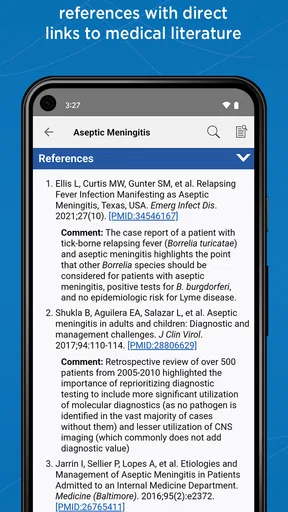
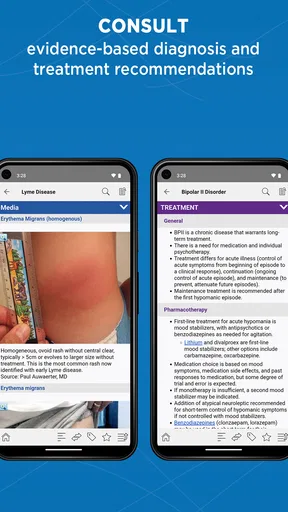
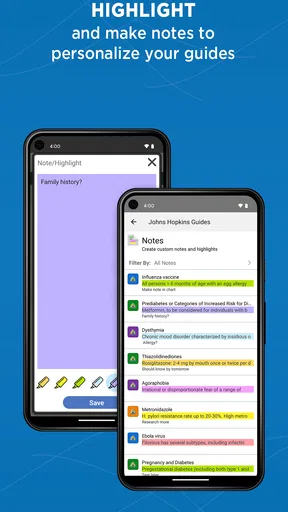
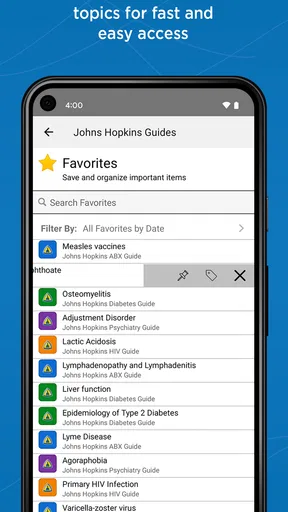
 Analysis by AppCompare
I reach for an antibiotic reference when a clinical question needs a careful answer, not a guess. The Johns Hopkins guide is built for that kind of focused lookup: it brings antimicrobial guidance together with related material on HIV, diabetes, and psychiatric care. I see it as a professional reference to consult alongside clinical judgment, not a tool that makes a treatment decision on its own.
A useful starting point for a clinical question
My baseline workflow is to begin with the problem I am trying to solve, then use the guide to narrow down the relevant recommendation and check the details that could change how it applies to a particular patient. That is more reliable than opening a reference at random and treating the first result as a complete answer. For antibiotic decisions, the diagnosis, patient circumstances, and other medicines all matter; a concise guide can support that review, but it cannot replace it.
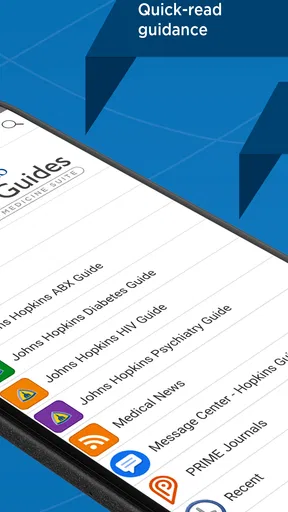
The app is a medical reference from Unbound Medicine, Inc. Its scope is a notable part of its appeal: alongside antimicrobial therapy, the guide covers HIV, diabetes, and psychiatric topics. That breadth can save a clinician from switching between several separate references for common questions, although people who need an exhaustive resource in just one specialty may still prefer a dedicated textbook or specialist database.
How I would use it during a busy day
Imagine I am reviewing a treatment plan between appointments and need to check an antimicrobial choice, then confirm a related dosing or interaction concern. A practical habit is to treat those as separate checks: first identify the relevant infection guidance, then review patient-specific factors and medication risks before acting. The guide is useful as a fast reference point in that sequence, especially when I already know what question I need answered.
That distinction matters. A quick lookup is not the same as a full patient assessment, and the app should not be used to shortcut local protocols, laboratory results, allergies, or consultation with a colleague when the case is complicated. I would be particularly cautious with unusual infections, vulnerable patients, or situations where the right approach depends on details that cannot be reduced to a general recommendation.
Settings and habits worth checking
Before relying on any clinical reference in a workflow, I would check its current version and make sure I understand how its content is organized. This app is listed as version 2.8.49, and it is available for devices running Android 9 or later. Those details are worth checking before building a routine around it, especially on a work device that is not updated often.
I also recommend deciding in advance what you will use the guide for most often. If you regularly look up antimicrobial topics, keep a short mental checklist: clarify the clinical question, search the relevant section, verify the patient-specific considerations, and then compare the result with local guidance. A repeatable process reduces the temptation to rely on memory or to skim a recommendation without noticing its context.
Worth Reading Before You Choose

Flipboard Shows What News Apps Must Do Beyond the Feed

Switching to Android Auto Means Rethinking Your Driving Routine

Google Calendar Makes a Crowded Week Easier to Manage

Ludo King Makes the Most of the Minutes Between Plans

Baby Panda World Brings Quick Play to Modern Phones, but Its Game Library Feels Busy

ESPN’s Live Game View Makes Following Close Games Easier
The app is free to install, but it offers in-app purchases ranging from $0.99 to $89.99 per item, and its introductory offer lets users try it for 14 days. I would check which material is included in the trial and what access requires payment before depending on a particular section. The price range is broad enough that it is sensible to confirm the terms in the app rather than assume every topic is included at no cost.
Where it fits among medical references
Compared with a general web search, a focused clinical guide can make it easier to reach organized, relevant information without sorting through unrelated pages. Compared with a full-length reference book, a mobile app is more convenient for a quick check, but it may not offer the same depth or the same kind of broad discussion. I would use this guide for a targeted lookup and turn to a more comprehensive source when I need a deeper explanation or a second perspective.
It is also different from relying on memory or a saved note. Notes can be convenient, but they can become stale or lose context; a reference is a better starting point when I need to verify a recommendation. Even so, no app should be treated as the final authority in a changing clinical situation. I would compare important decisions with current local protocols and professional judgment.
Who is likely to get the most from it
The strongest fit is a healthcare professional or student who wants a portable reference for antimicrobial therapy and the other covered clinical topics. The app has an average rating of 4.8 from around 1.3 thousand ratings, and it has been installed over 50 thousand times. Those figures suggest a substantial audience, but they do not tell me whether its organization will suit an individual user’s routine.
Someone who only needs occasional, basic information about antibiotics may find a dedicated patient education resource easier to understand. This is a professional medical reference, not a substitute for advice from a clinician, and it is not an appropriate way for patients to select or change their own medication. Its content rating is Everyone, but that age classification should not be mistaken for a recommendation that the medical guidance is intended for unsupervised personal treatment.
I would also think twice if I needed a resource centered on a specialty outside the guide’s coverage, or if my workplace requires one particular reference system. In those cases, an institution’s approved database or a specialty-focused resource may be the better everyday choice. The guide is most useful when its subject matter matches the question in front of me.
Limits to keep in view
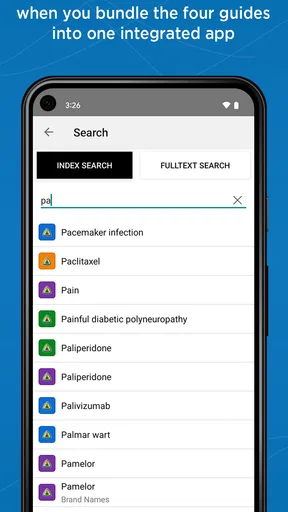
The original app review describes the interface as clean and organized, with search that makes it possible to find relevant material quickly. That is valuable in a time-pressured setting, but a tidy layout does not guarantee that a search result answers the full clinical question. I would still check surrounding context rather than stop at a single line, especially when the recommendation depends on patient characteristics or other medicines.
There are practical trade-offs too. The earlier review noted that more visual explanations, such as diagrams or videos, would be welcome, and that an offline mode would help when connectivity is unreliable. These are meaningful limitations for someone who learns best visually or works in places with patchy internet. If dependable offline access is essential to your job, confirm that the app meets that need before making it your primary reference.
The app was released on January 20, 2016, and its current version is 2.8.49. I would not infer the quality or freshness of any individual recommendation from those facts alone. In practice, I would check the guidance relevant to my work and maintain the same habit of cross-checking important decisions with appropriate current resources.
Putting the guide into practice
I use this section to focus on the small habits that make a clinical reference more useful under pressure: deciding what I need to verify, following the relevant guidance in context, and knowing when to consult another source. The next section looks at how those habits can become a steadier routine without treating a quick lookup as a substitute for clinical judgment.
Small workflow improvements that matter
One useful approach is to make each lookup answer a defined question rather than browse broadly while under pressure. For example, I might first identify whether I need treatment guidance, a dosing detail, or an interaction check. Keeping those questions distinct makes it easier to notice when I have answered only one part of the problem and still need to verify something else.
Another sensible habit is to record the kind of questions that repeatedly slow you down, without copying patient information into an inappropriate place. That can help you become more efficient at finding the relevant section next time. It also shows whether the app is genuinely saving time in your work or whether a different reference would better fit your needs.
When using the app for learning, I would compare a recommendation with the reasoning behind it rather than memorize a number in isolation. That turns a quick lookup into a chance to understand how a clinical choice is framed. It is especially helpful for students, who need to learn when a guideline applies as well as what it says.
A measured recommendation
Overall, I find the Johns Hopkins guide most compelling as a compact clinical companion for people who already know how to interpret medical guidance. Its antimicrobial focus, additional coverage of HIV, diabetes, and psychiatric topics, and quick-search approach make it a practical option for targeted reference checks. The best results come from pairing it with a consistent workflow and sound clinical judgment, not expecting it to make the decision for you.
The app is free to download, with paid in-app content, so I would use the trial period to see whether the sections I need are accessible and whether the navigation feels natural during real work. If the coverage suits your role, it may earn a regular place in your reference toolkit. If you need a comprehensive specialty resource, offline access, or patient-facing explanations, I would choose a more suitable alternative instead.
If you've ever found yourself in the middle of a medical emergency, unsure of the right antibiotic to use, you're not alone. This is where the Johns Hopkins Antibiotic Guide swoops in like a superhero. Let me take you through my experience with this app, which has quickly become a go-to resource for many healthcare professionals.
First Impressions
When I first opened the Johns Hopkins Antibiotic Guide, I was greeted with a clean and organized interface. It’s user-friendly, which is a huge relief because, let's be honest, nobody wants to navigate a labyrinth when they’re in a hurry. The app is designed to give you quick access to a wealth of information, and it does not disappoint.
Features Galore
Diving into the features, the app provides comprehensive information on various antibiotics, including dosage, side effects, and interactions. One thing I really appreciated is the detailed guidelines for specific infections. It's like having a mini-expert in your pocket.
There’s also a section dedicated to pediatric dosages, which is incredibly handy for those working with children. The app keeps everything updated, so you’re always working with the latest data. I found the search functionality particularly efficient, allowing me to find relevant information in seconds.
Personal Experience
Using the app in a clinical setting was a game-changer. I remember one instance where I had to quickly reference the correct dosage for a patient with a rare infection. The Johns Hopkins Antibiotic Guide was right there, providing me with the precise information I needed.
Another standout feature is the way the app handles drug interactions. It highlights potential issues and offers alternative solutions. This proactive approach can be a lifesaver, quite literally.
Room for Improvement?
While the app is fantastic, there are a couple of areas that could use a little polish. For starters, the app could benefit from more interactive elements, like diagrams or videos, to visually support the textual information. Also, an offline mode would be a great addition for those times when Wi-Fi is spotty.
Who Should Use This App?
This app is a must-have for any medical professional or student. It's a reliable resource that provides quick answers and detailed information. Even if you're just a curious individual interested in antibiotics, this app will satisfy your quest for knowledge.
For those worried about the cost, the app isn’t free but consider it an investment in your professional toolkit. The peace of mind it offers is truly invaluable.
Final Thoughts
Overall, the Johns Hopkins Antibiotic Guide is an essential app that delivers on its promises. With its extensive database and user-friendly design, it’s like having a world-class consultant right at your fingertips. If you’re in the medical field, this app is worth every penny, and I can’t recommend it enough.
In a world where information is power, having the right tools can make all the difference. This app does just that, empowering you with the knowledge to make informed decisions quickly and efficiently.
Pros
- Comprehensive antibiotic database.
- Regular updates with latest guidelines.
- User-friendly interface for quick access.
- Customizable alerts for specific needs.
- Offline access for convenience.
Cons
- Requires in-app purchases for full access.
- Limited to English language only.
- No direct interaction with experts.
- Initial setup can be time-consuming.
- Heavy on device storage.
FAQs for Johns Hopkins Antibiotic Guide
What is the Johns Hopkins Antibiotic Guide?
The Johns Hopkins Antibiotic Guide is a comprehensive mobile app designed to provide healthcare professionals with detailed information on antibiotic use. It offers guidelines on treatment recommendations, dosing, side effects, and interactions, ensuring practitioners have access to up-to-date and evidence-based information for optimal patient care.
How often is the information in the Johns Hopkins Antibiotic Guide updated?
The app is regularly updated to reflect the latest clinical guidelines and research findings. Johns Hopkins ensures that the information remains current, providing healthcare professionals with the most accurate and relevant data. Updates typically occur multiple times a year, contingent on new research and clinical developments.
Is the Johns Hopkins Antibiotic Guide suitable for non-medical users?
While the app is primarily designed for healthcare professionals, including doctors, nurses, and pharmacists, non-medical users may find the information overwhelming. The content is highly technical, focusing on clinical guidelines and antibiotic stewardship, which may not be easily understood by those without a medical background.
Does the Johns Hopkins Antibiotic Guide require an internet connection?
The app can function both online and offline. Some features, like updates and additional resources, require an internet connection. However, the core content, such as treatment guidelines and dosing information, is accessible offline, making it convenient for use in settings with limited connectivity.
Are there any subscription fees for using the Johns Hopkins Antibiotic Guide?
The Johns Hopkins Antibiotic Guide operates on a subscription model. Users can download the app for free, but accessing the full range of features and up-to-date information typically requires a paid subscription. This ensures the app continues to provide high-quality, evidence-based content for its users.


